A Full Samsung TV Remote. On Your Wrist.
Turn your Galaxy Watch or Pixel Watch into a remote for any 2016+ Samsung Smart TV. The watch talks to the TV directly over Wi-Fi — no phone, no companion app, no IR blaster. Pair once with a single Allow on the TV screen.
Free • No ads • Works without a phone
WORKS WITH EVERY SAMSUNG TIZEN TV SINCE 2016
REMOTE
Two Screens. Every Control.
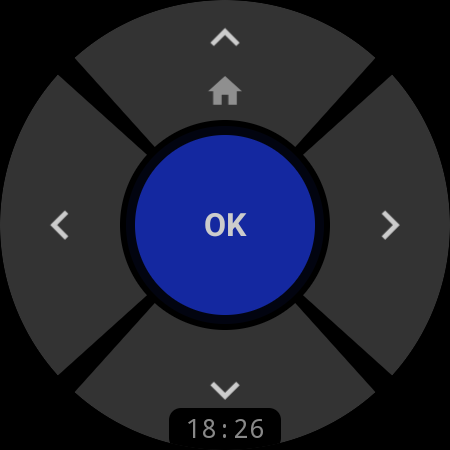
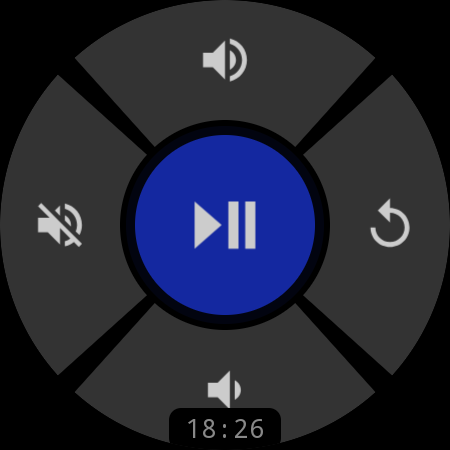
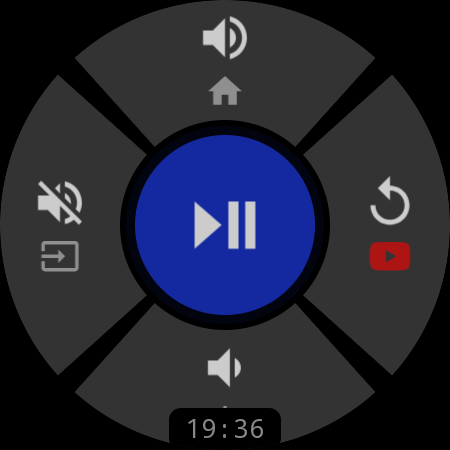
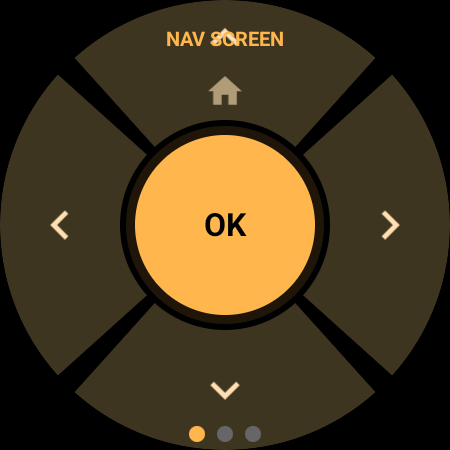
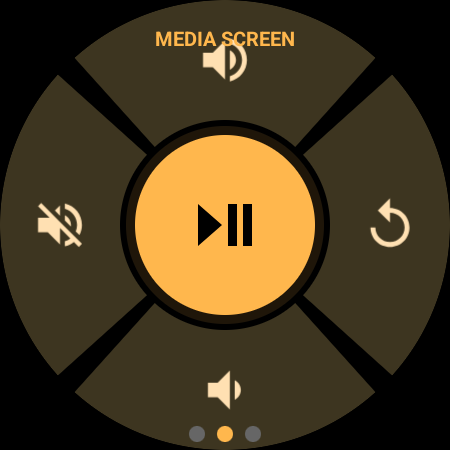
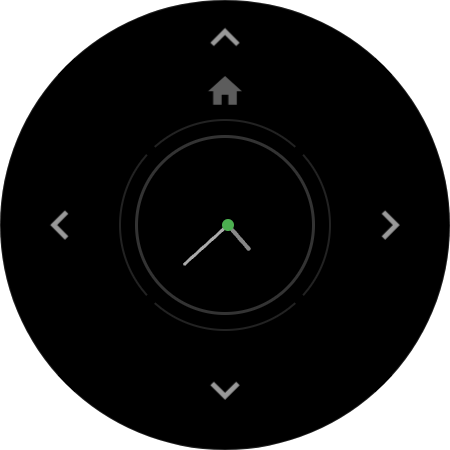
A five-zone D-pad shaped for a round screen: arrows, OK in the middle, long-press Up for Home. Long-press the center and the same pad flips into a media screen — Play/Pause, volume, mute, and back. Every press rides a direct Wi-Fi socket with crisp haptic feedback, and rotating the bezel or crown ramps the TV volume with zero lag.
D-pad free · Media screen & bezel volume in Pro
QUICK ACTIONS TILE
Volume & Power Without Opening the App
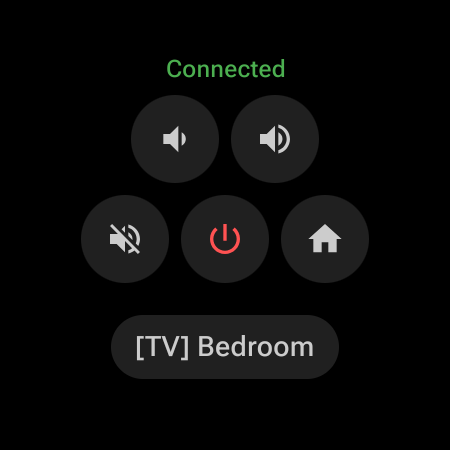
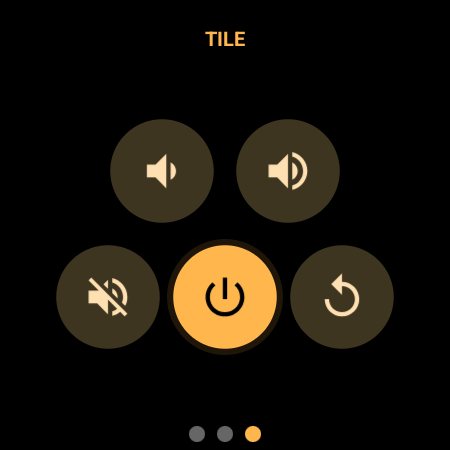
Add the Quick Actions Tile next to your watch faces and a five-button mini remote is one swipe away — volume, mute, power, and Home by default, with live connection status on top. Swiping to the tile pre-warms the link to your TV, so the first tap already lands.
One Swipe From the Watch Face
No app launch, no waiting: the tile renders instantly with five buttons and the name of your active TV, then connects in the background while you aim your thumb.
Smart Power, Even From Standby
Power works both ways — it switches the TV off when connected, and wakes a sleeping TV with Wake-on-LAN magic packets when it is not. The Frame gets the long-press power handling it needs.
Five Remappable Slots
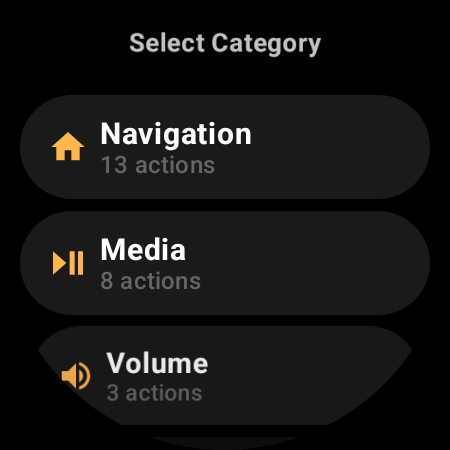
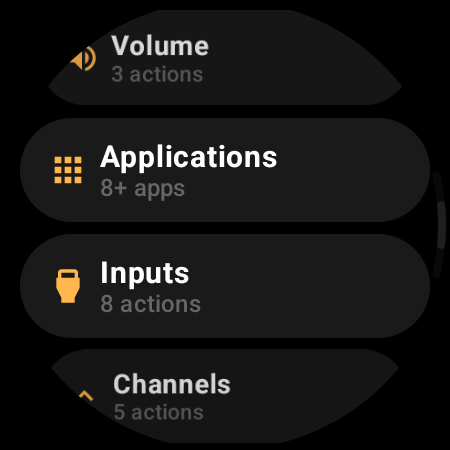
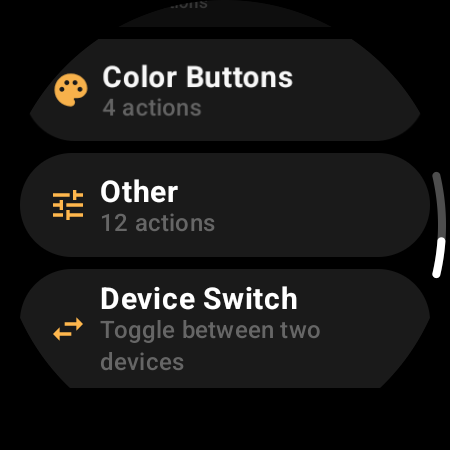
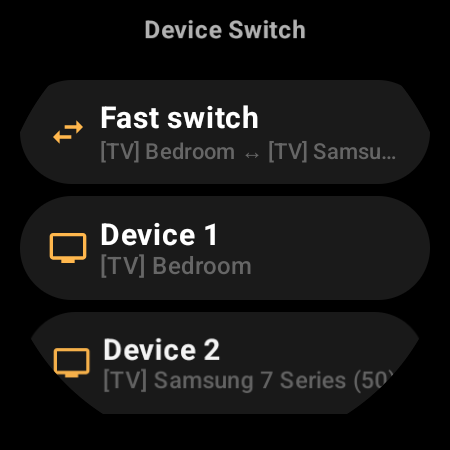
Swap any tile button for one of 53 actions — launch Netflix, jump straight to HDMI 2, or fast-switch to the bedroom TV.
Tile included free · button taps are a Pro feature
CUSTOMIZATION
Remap Every Button
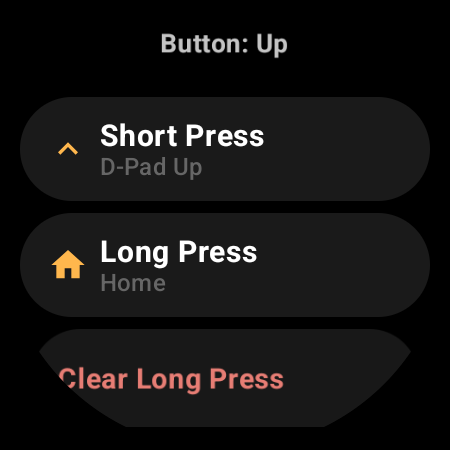
Three remappable layouts — Nav screen, Media screen, and the Quick Actions Tile — with independent short and long press on every button. Choose from 53 actions across 8 categories: navigation, media transport, volume, HDMI inputs, channels, teletext color keys, app shortcuts like Netflix and YouTube, and deep cuts from Sleep Timer to Ambient Mode. Live previews show each layout before you commit.
Pro feature — browse the full catalog for free
EXTRAS
Number Pad, Sources & Typing
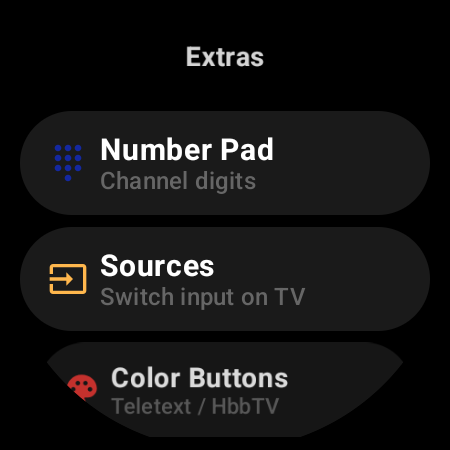
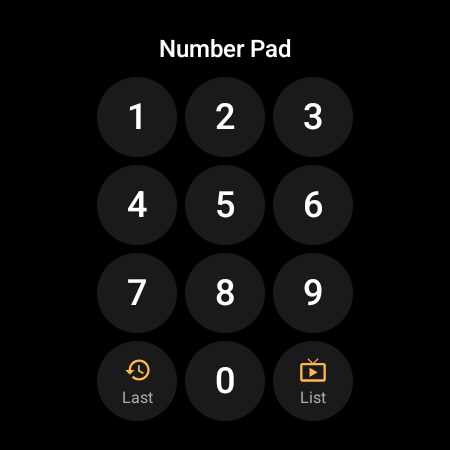
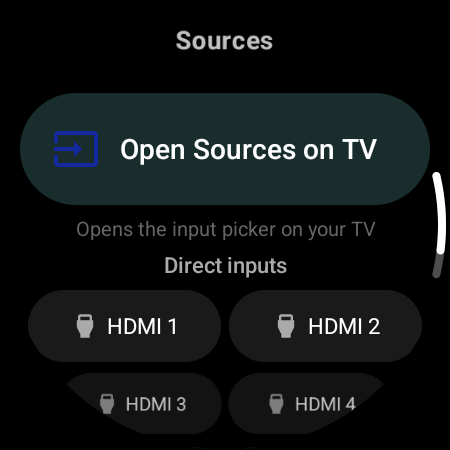
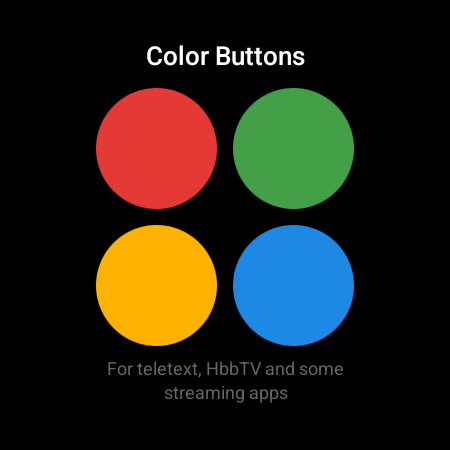
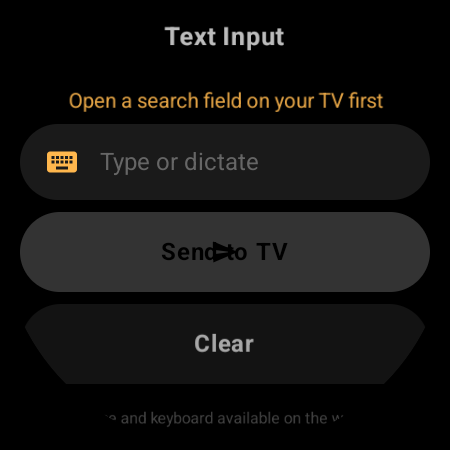
Everything a full-size remote does, in a toolbox one swipe away: a number pad with Last-channel and Channel List shortcuts, one-tap Sources with direct HDMI 1–4 jumps, the four color buttons for teletext and HbbTV, and text input — dictate, type, or handwrite on the watch instead of pecking at the TV keyboard with arrows. On The Frame, a bonus Art Mode screen toggles the gallery, browses artworks, and sets brightness.
Pro feature
MULTI-DEVICE
Every Samsung TV in the House. One Watch.
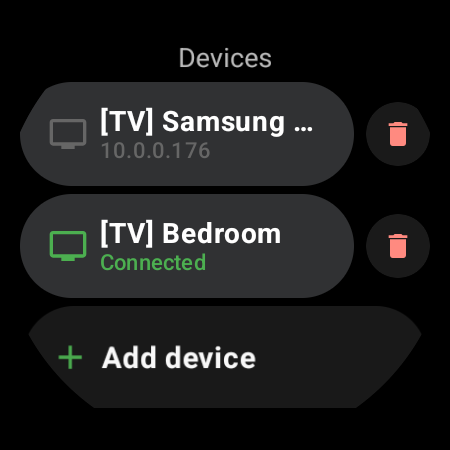
Save the living-room QLED, the bedroom TV, and the kitchen one — they all live in a single Devices list with live connection status. Tap any to switch instantly: each TV is remembered by its hardware address, so the link survives router reboots and IP changes. Map Fast Switch to a button and bounce between your two favorites in one press — it even works while the current TV is off.
Pro feature
ALWAYS READY
Always-On Display
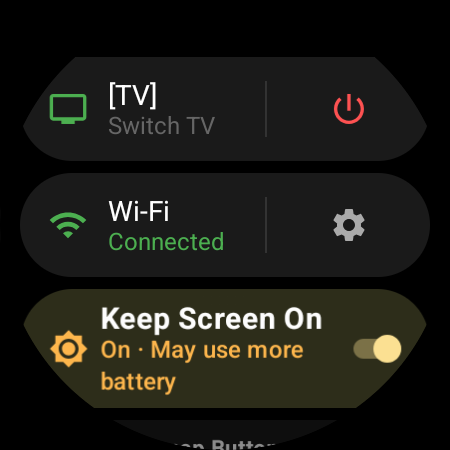
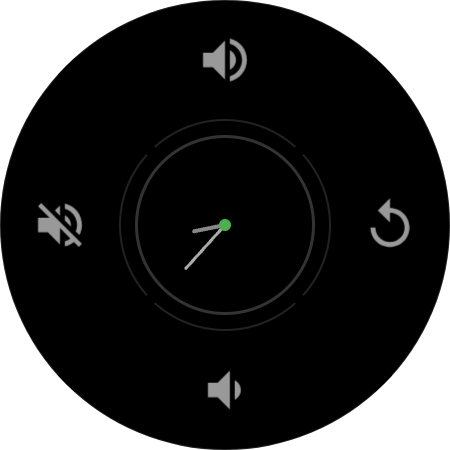
Keep Screen On holds the remote on your wrist for the whole movie night. The connection stays warm through ambient mode, so the remote answers the moment you raise your wrist — no reopening the app, no reconnecting, no fishing the real remote out of the couch.
Pro feature
HOW IT WORKS
From Install to Control in Minutes
Install on Your Watch
Get TV Remote for Samsung Smart TV from Google Play directly on your Wear OS smartwatch. No phone companion app, no account.
Find Your TV
With the watch on the same Wi-Fi as the TV, tap “Find TV”. Your Samsung TV is discovered automatically — a built-in fallback scan handles routers that block discovery.
Press Allow on the TV
A pairing popup appears on the TV screen — select Allow once. No PIN, no codes. The watch stores the pairing token securely and reconnects by itself from then on.
EVERYTHING YOU NEED
53 Actions. 8 Categories.
D-Pad Navigation
Up, Down, Left, Right, OK, Back, Home, Exit, Menu & Smart Hub — with haptic feedback on every press
Media Playback
Play/Pause, Stop, Fast Forward, Rewind & Record on a dedicated media screen
Bezel Volume
Tap the media pad or rotate the watch bezel or crown for an instant, lag-free volume ramp
Power On & Off
Switches the TV off over Wi-Fi and wakes it from standby with Wake-on-LAN
App Shortcuts
Launch Netflix, YouTube, Prime Video, Disney+ & more — or any app installed on your TV
Type & Dictate
Voice, keyboard, or handwriting on the watch — the text lands in the TV search box
Number Pad & Channels
Channel digits, channel up/down, channel list, last channel & favorites
Inputs & Sources
Open Sources on the TV or jump straight to HDMI 1–4, TV tuner & digital TV
Frame TV Art Mode
Toggle Art Mode, browse artworks & set brightness — detected automatically on The Frame
COMPATIBILITY
Works With Every Samsung TV Since 2016
Compatible Watches
…and many others! Any watch running Wear OS 3.0 or later (API 30+). Your watch brand doesn’t need to match your TV — a Pixel Watch controls a Samsung TV just fine.
Compatible Samsung TVs
Works with any Samsung Smart TV running Tizen, model year 2016 or newer. The app detects your TV’s generation and speaks the right protocol for it automatically — including the special power handling The Frame needs. TVs from 2015 and earlier don’t expose the network remote interface and aren’t supported.
FREQUENTLY ASKED QUESTIONS
Everything You Need to Know
The Remote You Never Lose.
TV Remote for Samsung Smart TV is on Google Play — pair once, press Allow on the TV, and your watch becomes the remote that is always on you.
Free • Wear OS 3.0+ • One-time Pro upgrade, no subscription • 29 languages